A budget home theater build is a chain, not a shopping list, and the chain is only as strong as the link you forgot to plan for. I have spent fifteen years pulling cable through Austin attics and Round Rock living rooms, roughly 340 installs, and the pattern never changes. People spend the whole budget on the projector, hang it on a bare wall, run one cable that drops signal at the worst possible moment, and then wonder why the picture looks flat and the dialogue sounds like it is coming from inside a pillow. This is the four piece build I would hand a client who wants a real room without a dedicated room budget: a fixed frame screen, a portable projector, a 4.1 soundbar with actual rear speakers, and a long HDMI run that survives the trip.
The short answer: put your money into the screen surface and the speaker placement first, because the projector is the easiest piece to swap later and the room is the piece you cannot swap at all.
Related: Projector Screen Vs Painted Wall: What You Actually See

Elite Screens Aeon Series, 110-inch 16:9, 8K / 4K Ultra HD Home Theater Fixed Frame EDGE FREE Projector Screen, CineWhite UHD-B Front Projection Screen, AR110WH2
A tensioned fixed frame with a neutral white surface is the biggest single upgrade over a painted wall, and it gives you a repeatable target to calibrate to
It owns that wall permanently, assembly is a two person job, and it needs a projector with enough output for 110 inches

Aurzen EAZZE D1 Smart Portable Outdoor Projector with WiFi and Bluetooth
Smart apps, WiFi and Bluetooth built in, light enough to carry to the patio, so movie night happens the day it arrives
Portable optics live and die by light control, so this is a living room and backyard machine, not a blacked out theater machine
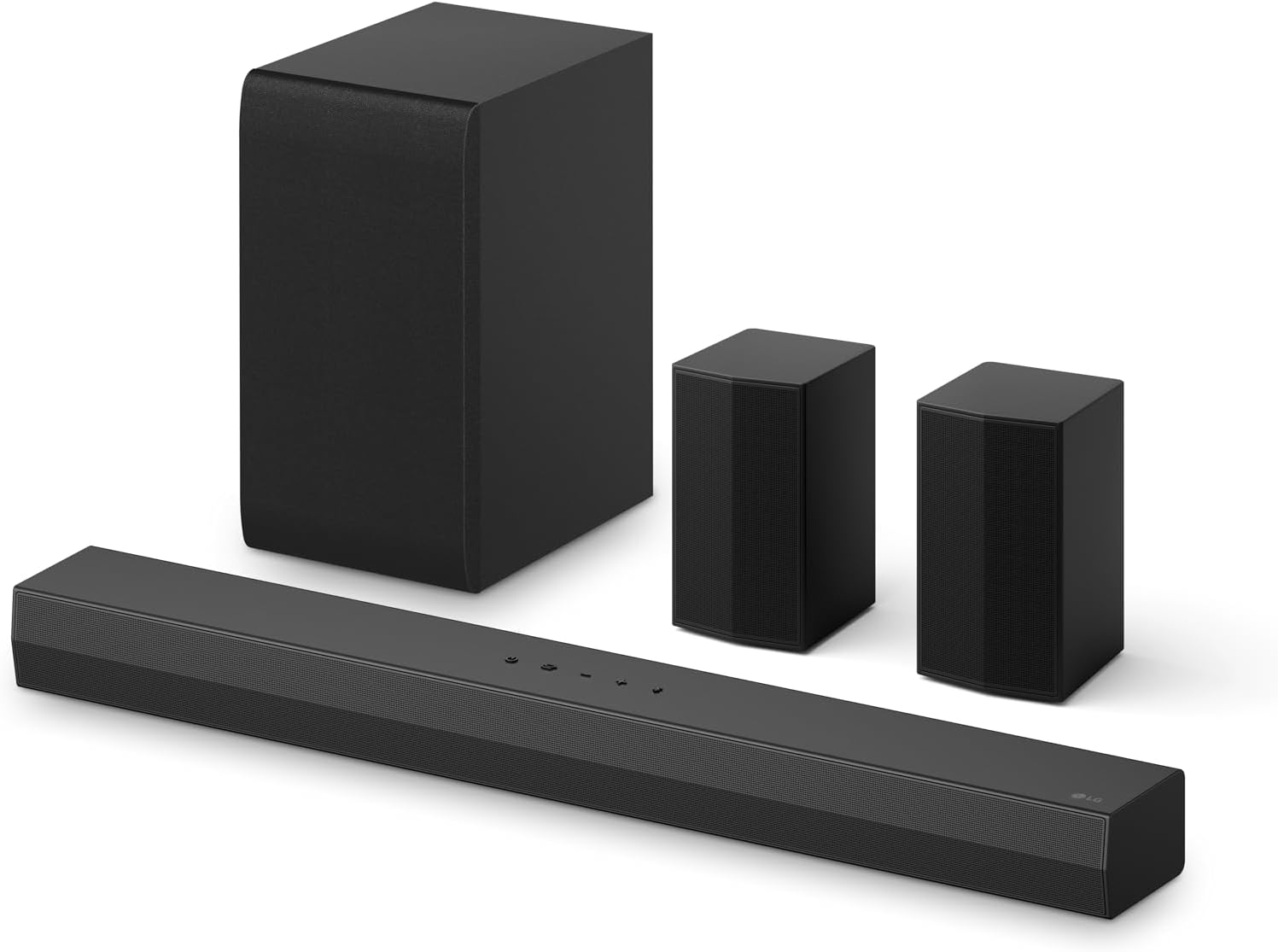
LG S40TR 4.1 ch. Home Theater Soundbar with Rear Surround Speakers and Wireless Subwoofer, Wow Interface, Dolby Audio, AI Sound Pro, Amazon Exclusive - Black
Real rear speakers and a wireless subwoofer turn a bar into a room, and Dolby Audio plus AI Sound Pro handle the processing
4.1 is not an object based height layout, and the rears need power and placement you have to plan for
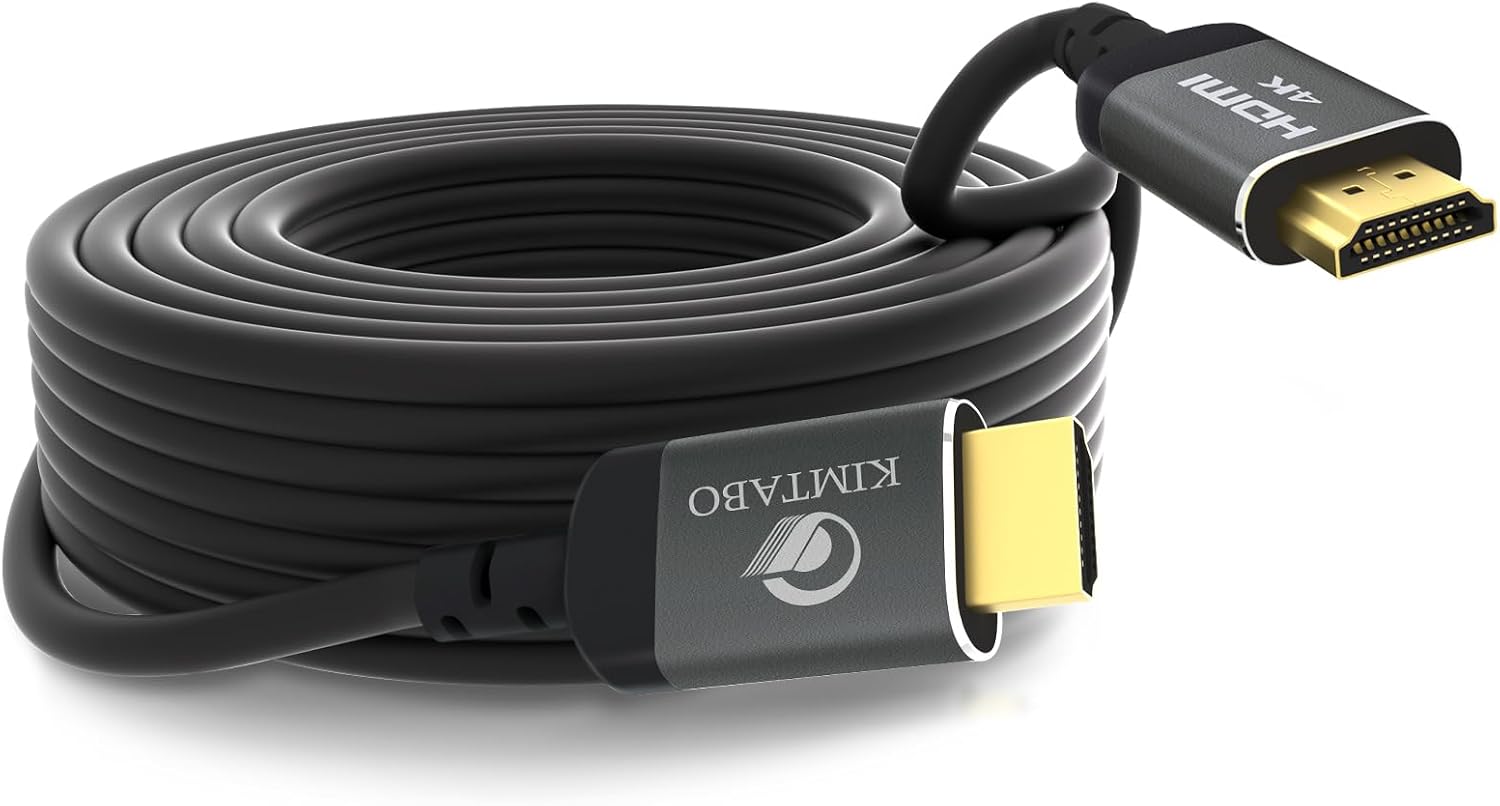
30 ft HDMI Cable 4K, High Speed Long HDMI Cables Support 4K 30Hz 2K 1080p 3D ARC, Gold plated Connectors Soft HDMI Cord for Smart HD Fire TV Monitor Projector Soundbar Laptop PS3/4 XBOX (9.14m)
Long enough for a real run, ARC support, gold plated connectors, and it solves the distance problem the other three pieces create
4K at 30Hz is not a high refresh gaming cable, and a marginal run this long is the hardest fault in the system to diagnose
Prices and availability were captured from Amazon Creators API and may change.
How I judge gear before it earns a spot in a build
Two tools do most of the deciding in my work: a miniDSP UMIK-1 measurement mic and an i1Display Pro probe. The mic goes at the couch, at ear height, and I run a sweep before and after whatever room correction the bar ships with. The probe goes on the screen and I check color against Rec.709. Those two habits have saved more clients from bad purchases than any spec sheet ever has, because a spec sheet is written in a lab and your living room is not a lab. Your living room has a tile floor that slaps sound back at you, a ceiling fan that hums at exactly 60 Hz, and a spouse who hears a flat note from the other side of the house.
So the questions I ask about every piece are boring and repeatable. Where does dialogue sit in the 1 to 4 kHz presence band? Does the subwoofer hold together when it moves to a different corner? What happens to distortion at 60 percent volume, before the bar is even loud? Can I calibrate the picture to a repeatable surface, or am I chasing a wall that changes color with the time of day? Boring questions, but they are the ones that decide whether you still like the room in month six.
The screen: the surface you calibrate to
The Elite Screens Aeon Series is a 110-inch, 16:9, EDGE FREE fixed frame screen with a CineWhite UHD-B front projection surface. Long name, simple job. A fixed frame does three things a bare wall cannot: it holds the surface flat, it gives you a known white point and a known gain, and it frames the image so your eye stops reading the wall around it.
Tensioning matters more than people expect. A screen that ripples looks fine on a test pattern and terrible on a slow pan across a bright sky, because every ripple catches the projector's light at a slightly different angle. Proper tensioning keeps that surface flat, and flat means the geometry stays honest out to the edges.
Then there is calibration. I calibrate every projector I touch to Rec.709 and I want delta-E under 3 before I call it done. You cannot do that work against a painted wall, because paint has its own color, its own texture, and its own opinion about how much light it should bounce back. A neutral white surface gives you a reference you can return to. Change the projector later, keep the screen, and you are still calibrating to the same target.
The cost is commitment. A 110-inch fixed frame owns that wall permanently. Assembly is a two person job with a lot of screws, and the frame has to be level or the whole thing looks crooked forever. If you rent, or if you rearrange the furniture twice a year, this is the wrong piece for you.
The projector: portable is a feature until the lights come on
The Aurzen EAZZE D1 is a smart portable outdoor projector with WiFi and Bluetooth built in, which tells you exactly who it is for. It is a carry it outside, plug it in, stream something machine. No receiver, no laptop, no second box. For backyard movie nights and a living room that doubles as a family room, that simplicity is the entire point.
What portable buys you is placement freedom. You can set it on a patio table, aim it at a screen, and take it down before it rains. What portable costs you is light output and contrast, because small optics and a small chassis mean the image has to fight whatever light is already in the room. Ambient light is the enemy of every projector, and it is a bigger enemy of a portable one.
So treat this as a light control project, not a projector project. If you can watch after sunset, or close the blinds and kill the overheads, this class of projector looks dramatically better. If your room is a wall of west facing windows at 6 p.m., no projector at this level wins that fight.
One install note that matters: put the projector on a stable surface and keep keystone correction as close to zero as you can. Digital keystone fixes the shape of the image by throwing away pixels, and the more you lean on it, the softer the picture gets. Move the projector, not the geometry.
The soundbar: 4.1 with real rear speakers is the value play
The LG S40TR is a 4.1 channel bar with rear surround speakers and a wireless subwoofer, plus Dolby Audio and the AI Sound Pro processing. The headline is the rears. A bar that fires everything at the wall in front of you can be loud and still feel small, because your ears locate sound by timing and direction. Actual speakers behind you, even small ones, change that completely.
Placement is where these systems are won or lost, and it is the part almost nobody plans for. The rears need power, which means outlets or a plan, and they want to sit at roughly ear height, slightly behind and to the sides of the couch. Put them on the floor behind the sofa and you have wasted them. The subwoofer goes where the room says it goes, not where the marketing photo says. I move a sub to four corners with a tape measure and a 50 Hz sine before I decide anything, because the same sub in a different corner can sound like a different product.
The trade-off is layout. 4.1 gives you fronts, rears, and a sub. It does not give you height channels, so it is not a Dolby Atmos object based experience, and no processing mode turns four channels into eleven. What it does give you is a real surround field without buying a receiver and five separate speakers, and for most shared living rooms that is the honest answer.
One warning I give every client: room correction helps, but it cannot fix a bar with no headroom. If dialogue gets shouty and compressed before the volume knob is halfway up, DSP is not going to rescue it. Test dialogue at a level you actually watch at, not at a whisper.
The cable: the 30 foot run is a system component
The 30 ft HDMI cable is the least glamorous thing in this build and the one most likely to ruin your evening. It supports 4K at 30Hz, 2K, 1080p, 3D, and ARC, with gold plated connectors, and it exists because in a real room the source and the projector are almost never close to each other.
ARC matters more than people realize. Audio Return Channel lets the soundbar receive audio back from the display over the same cable path, which is what keeps this build to one remote and one connection instead of three. Plan the run before you mount anything: measure the path, add slack at both ends, and leave a pull string in the wall for the day you want to replace it.
The honest limitation is 4K at 30Hz. That is fine for movies and streaming, and it is not what you want for a gaming PC or a console chasing high frame rates. Long passive HDMI runs are also the hardest faults to diagnose, because a marginal cable does not fail cleanly. It sparkles, it drops the handshake for two seconds at the best part of the movie, and it blames the projector. I keep a short known good cable on hand specifically to prove where the fault is.
How the four pieces work as a system
The chain is simple once you say it out loud. The source feeds the display, the 30 foot cable carries the picture to the projector, the soundbar gets audio back over ARC, and the image lands on the fixed frame screen. Every piece has a job, and the order you set them up in matters.
Start with the screen. Mount it level, on the wall that lets you control light, and sit where you plan to sit. Then set the projector, aim it, and resist the urge to use keystone instead of moving the box. Then the soundbar and the rears, with the sub moved to at least two corners before you commit. Last, run the long cable and verify the picture at the far end before you close up any wall.
That order exists for a reason: each step gives you a reference for the next one. Hang the projector first and then discover the screen placement is wrong, and you get to do the whole thing twice.
Where this build falls short
Let me be straight about the trade-offs, because I install this equipment for a living and I would rather you know now than find out later.
It is a living room build, not a dedicated theater. There is no acoustic treatment, no black ceiling, and no height layer. A portable projector needs light control to look its best, and the long cable tops out at 4K 30Hz, which rules out high refresh gaming. The fixed frame screen is a permanent commitment to one wall.
If you have a dedicated room with no windows and a real budget, skip the bar and buy actual speakers and a receiver. I say that even when it costs me the sale. A soundbar is a compromise that works beautifully in a shared space, and it is still a compromise. But if the room has a ceiling fan, a kitchen on the other side of it, and a family that wants to watch a movie tonight, this is the build that actually gets used.
The bottom line
The screen gives you something to calibrate to. The projector gives you the flexibility to move the whole show outside. The 4.1 bar gives you a real surround field without a receiver, and the long HDMI cable ties the other three together across a room that is bigger than a single rack.
Buy the screen and plan the speaker placement first. Measure the run before you buy the cable. Then set the whole thing up with a microphone in the room, because the room is the last component in every build, and the one nobody remembers to put in the cart.